Project ERP
Open live demo Demo data. Nothing is saved.
The problem
Contractors usually track estimates, purchasing, site costs, and billing in separate spreadsheets. By the time a cost overrun shows up, the project is already losing money.
What we built
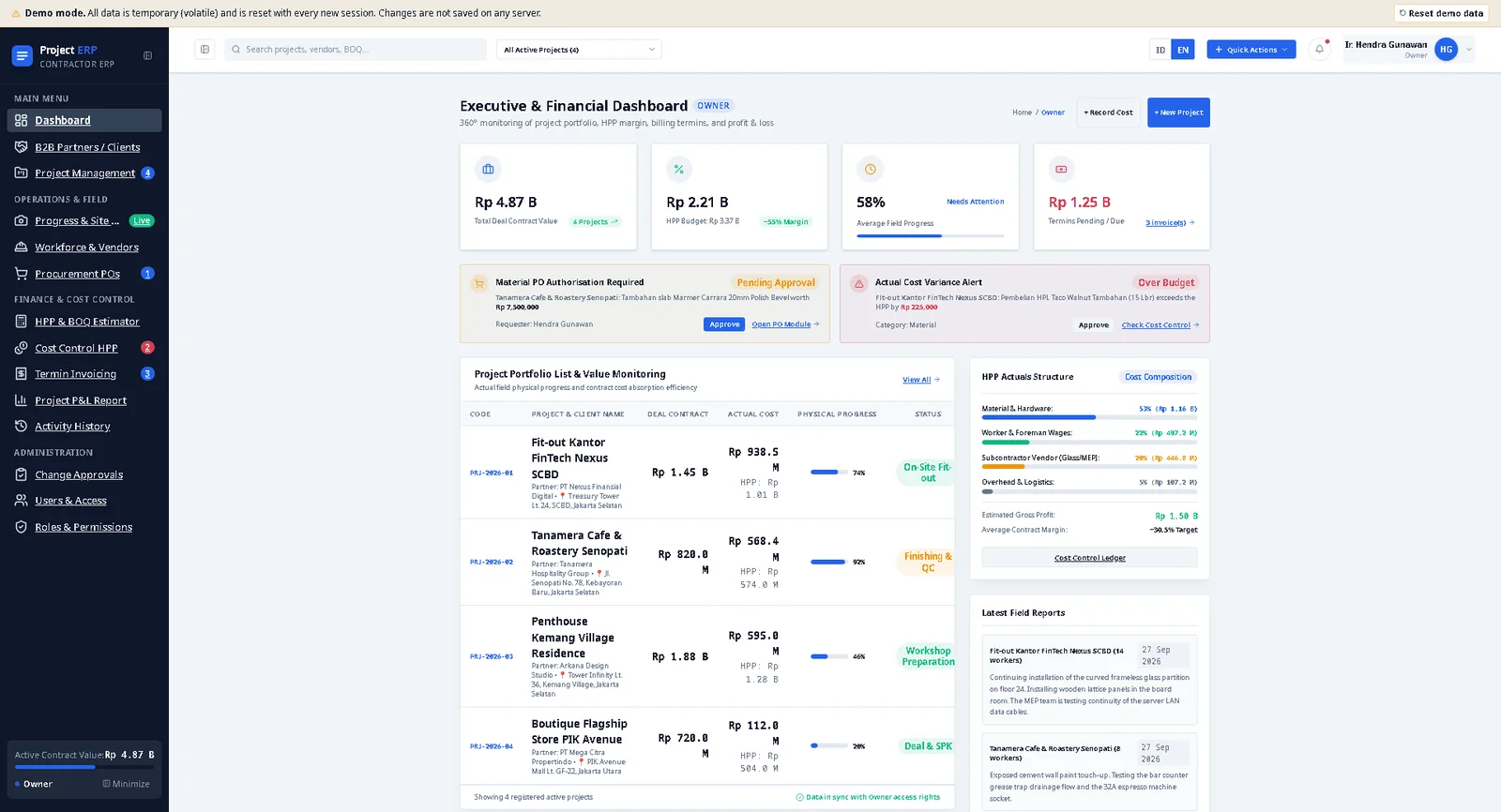
Project ERP puts the whole project cycle in one web app, from the first estimate to the final invoice.
- Estimate. A bill of quantities with cost (HPP), markup, and selling price per item, tied to each project.
- Buy and control. Purchase orders with an approval step, and a cost ledger that compares actual spend against the budget and flags overruns.
- Bill. Invoices by stage: down payment, progress termins, and retention, with paid, awaiting, and overdue status.
- Report. A dashboard for owners and a profit and loss report per project, showing margin and cash flow.
Around that sit the project stage board, site daily reports with photos, a workforce and vendor list, and an activity history that records every change.
Details
- Six roles, from owner to site supervisor, each with its own home screen and permissions.
- Changes to master data can go through an approval before they apply.
- Works on phones, with a bottom navigation bar for the main modules.
- Available in Indonesian and English.
Try it
Open the live demo and press Sign in. A demo account is already filled in, and you can switch to the other roles from the same screen. All data is sample data. It lives in your browser only and is reset with every new session.