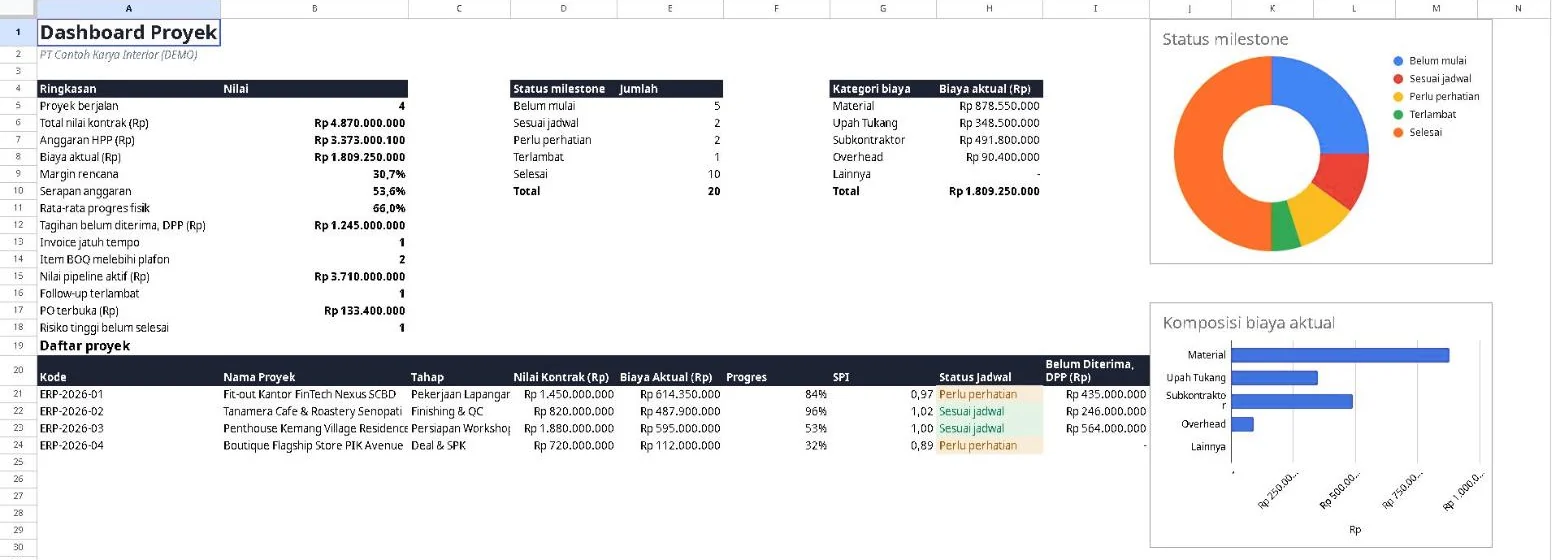
Dashboard
Contract value, actual cost, margin and schedule status of every project on one screen.

Contractor OS LiteGoogle Sheets template · by samapp
A Google Sheets template for contractors: BOQ, cost ceilings, schedule, S-curve and progress billing in one file. No install, and it works with a regular Gmail account.
The template is in Indonesian. A free bonus for webinar attendees.
The estimate is in one file, receipts are in a WhatsApp group, the schedule is in your head. The gap only shows after the project is done, when it is too late to fix.
Costs arrive a little at a time. The template compares actual cost with the HPP budget of each project, so the margin is visible from week one.
Every BOQ item has a ceiling. When costs pass it, the status turns red, and spending without a BOQ item is marked Di luar BOQ (outside the BOQ).
Milestones, progress, down payment, progress invoices and retention are in one place. The weekly Gantt and the S-curve show what is late.
Enter the BOQ once. Costs, schedule, invoices and profit and loss follow automatically.
BOQ with HPP, markup and selling price. A weighted milestone schedule, a weekly Gantt and the S-curve.
Cost per BOQ item, invoices for the down payment, progress payments and retention with VAT, a print-ready invoice and profit and loss per project.
Clients, a sales pipeline with follow-ups, a list of vendors and workers, and purchase orders that reduce the remaining ceiling.
A dashboard of all projects with SPI and warnings, and a risk register with scores and levels.
All images come from the demo file with sample data.
Contract value, actual cost, margin and schedule status of every project on one screen.
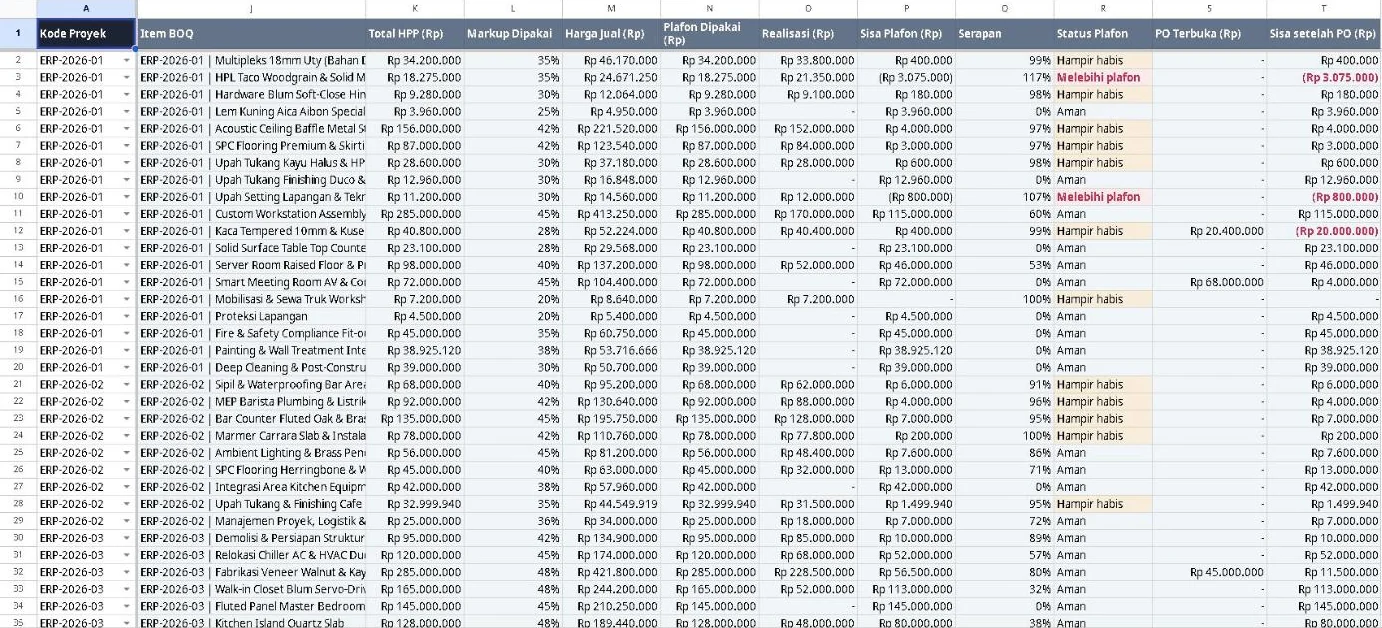
Each item has HPP, markup, selling price and a ceiling. Items that pass their ceiling are flagged right away.
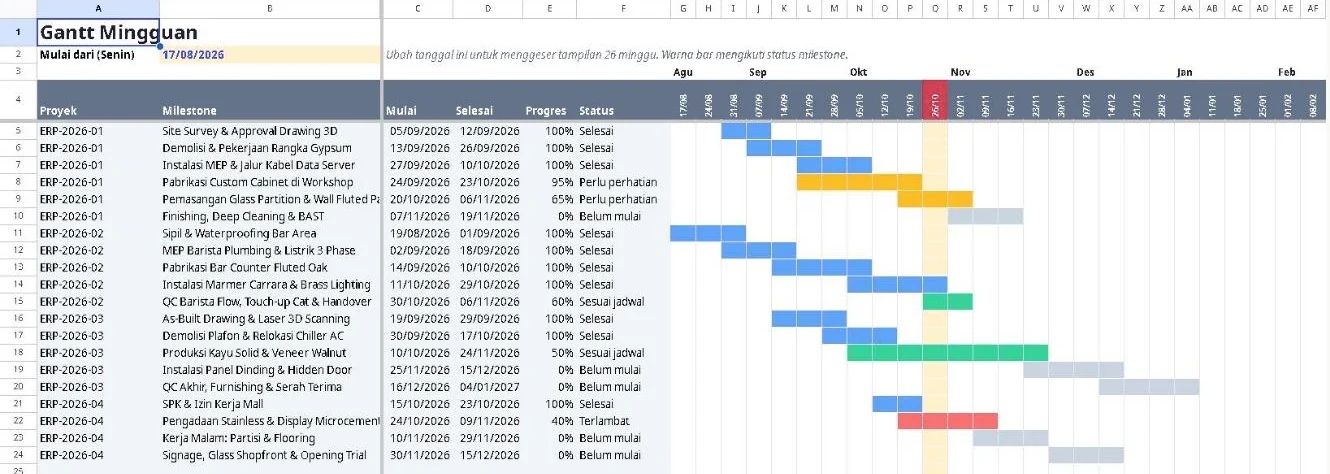
Bars coloured by milestone status, with the current week highlighted. Works on a regular Google account.
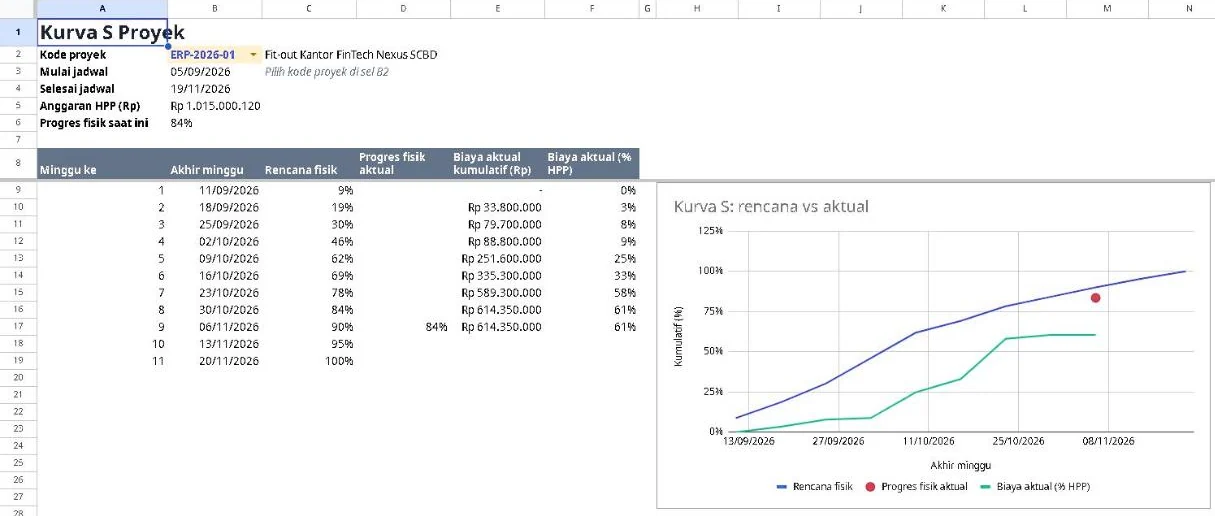
Pick a project, then compare planned physical progress with actual progress and cost use.
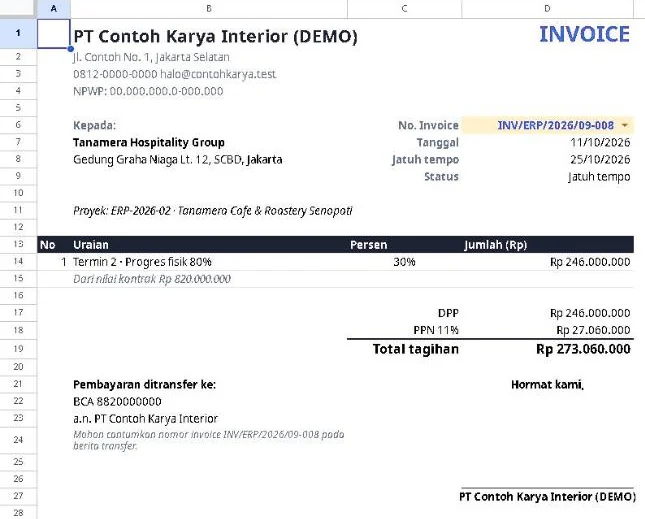
Pick an invoice number and an A4 sheet fills in: client, payment stage, DPP, VAT, total and bank account.

Contract, billing, cost by category, margin and cash profit for each project side by side.
Register for the webinar through the registration page and attend.
After the webinar you receive a link to make your own copy of the template.
Open the link, choose Make a copy, and the file is yours in Google Drive. Follow the 12 steps on the Mulai tab.
Attendees get the complete template from the demo, in their own Google Drive. It is not sold on its own.
One copy per company. It may not be resold and the link may not be shared.
Lite suits small contractors who want to get organised today. Contractor OS is for teams that need many users and control.
| Lite | Contractor OS | |
|---|---|---|
| Users | Shared through Google Sheets, no roles | Seven roles with permissions |
| Approvals | None | Approval of POs, costs and data changes |
| Site photos and reports | None | Yes, from a phone |
| Setup | None, just make a copy | Runs on your server |
| Activity history | Google Sheets version history | A log of every data change |
Yes. Every tab, including the weekly Gantt, runs on a regular Google account. Google Sheets' built-in Timeline view only exists on paid Workspace accounts, so the template does not depend on it.
The template is built for Google Sheets and uses functions Excel does not have. We do not recommend using it in Excel.
Yes. Share your file with the Share button in Google Sheets. There are no roles or approvals: anyone who can edit can change data. For that, there is Contractor OS.
Not at the moment. Lite is a bonus for webinar attendees. Ask us through the form below and we will tell you when the next webinar is.
No. Your copy of the template lives in your Google Drive and we have no access to what you enter.
Other questions? Write to us through the form below.