
CRM OSfor support, sales, and freelancers · by samapp
Know who to reply to today.
CRM OS opens a panel beside WhatsApp Web: recognise the open chat, see its lead, log the follow-up, and reply faster. No complicated CRM to set up.
Free to use. Works in Chrome and Chromium-based browsers.
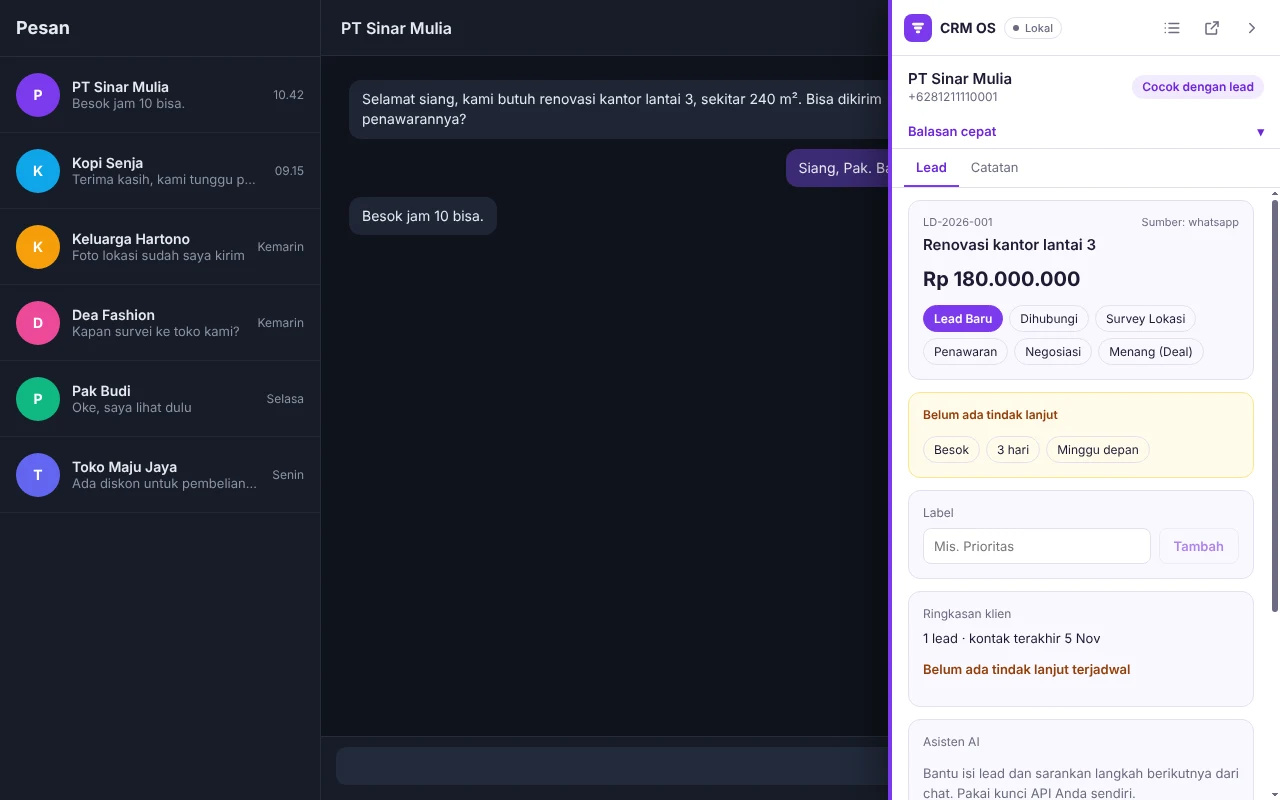
From chat to follow-up in a few clicks
- Open a chat
The panel recognises the chat's number and matches it to your lead or client.
- See and log
Pipeline stage, follow-up date, notes, and labels sit beside the chat.
- Reply faster
Pick a quick reply or an AI draft. The text goes into the message box and you send it.
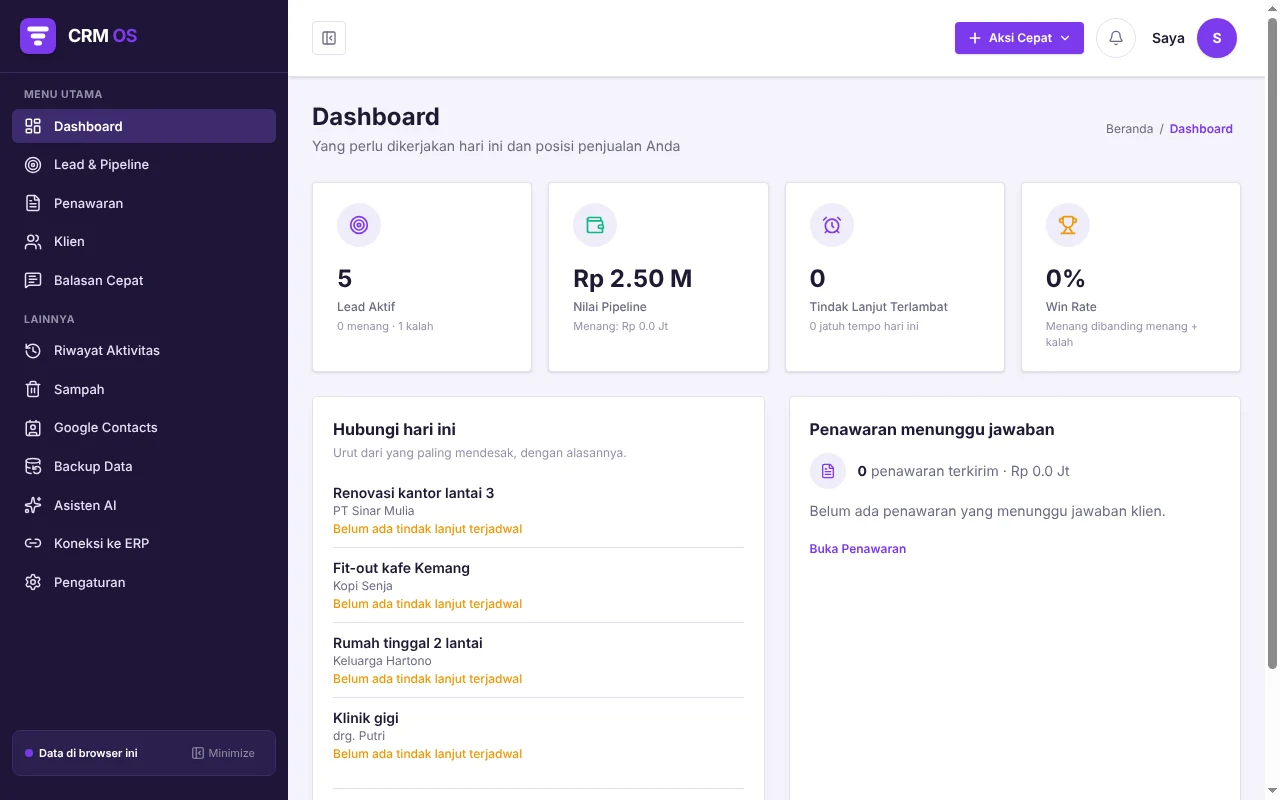
One flow from lead to won, all visible on the dashboard
The CRM OS dashboard lays out your work for today, from the most urgent to the final result.
Contact today
Leads are sorted from the most urgent, each with its reason.
Log the follow-up
Set when to reach out again. Late ones show up in the Late follow-ups count.
Send a quotation
Sent quotations appear under Waiting for an answer, with their value.
Won or lost
Move the lead until it is done. Pipeline value and win rate are worked out for you.
What is inside
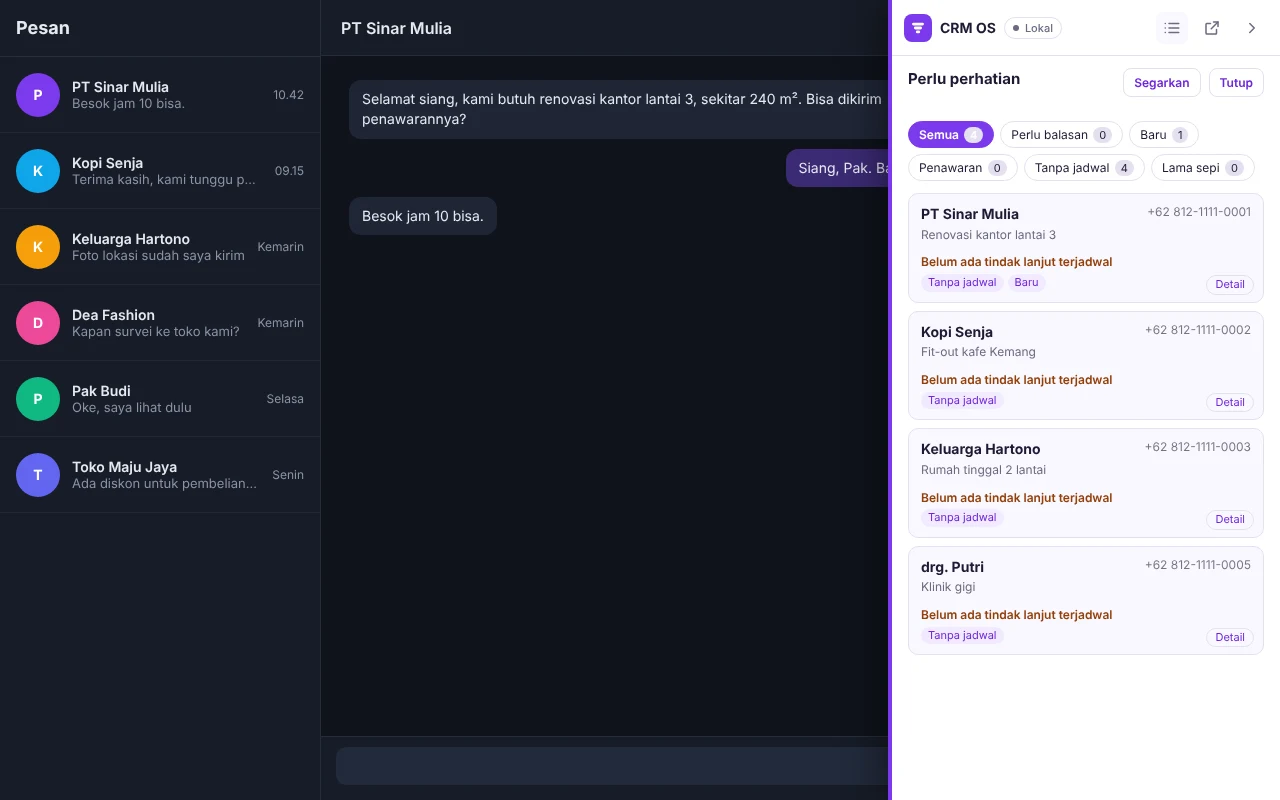
- Needs attentionFilters for Needs reply, New, Quotation, No schedule, and Gone quiet, which also filter the WhatsApp chat list.
- Leads and pipelineStage, value, source, and follow-up date for every lead.
- Quotations and clientsMake quotations, keep a client list, and log their history.
- Quick repliesSave templates with the customer's name filled in, and put one in the message box with a click.
- Labels and CSVAdd free labels, export leads and clients to CSV for Excel or Google Sheets, and make a full backup.
- Daily reminderA browser notification for follow-ups that are due (optional).
- Google ContactsImport Google contacts into CRM OS and send CRM OS contacts to Google, only when you press the button.
- AI assistant (optional)Reply drafts and chat summaries with your own API key, with no quota from us.
Your data stays yours
Leads, quotations, and notes are stored in your browser, not on our servers. The panel only reads what is on screen in WhatsApp Web to match the chat, and uses no analytics, ads, or trackers.
Frequently asked questions
Does CRM OS send WhatsApp messages?
No. CRM OS only puts text into the message box when you press its button. You read it and you press send.
Where is my data stored?
In your browser's local storage. Make a backup from the Backup Data menu, because clearing the extension's site data also deletes its data.
Is my WhatsApp account safe from being blocked?
We cannot promise that. CRM OS sends no automatic messages, but WhatsApp's terms can change, and that is outside our control.
How much does it cost?
It is free to use today. If paid features come later, such as automatic backup, we will announce them first.
Is there a version for teams or contractors?
For contractor projects, costs, and finance, see Contractor OS. CRM OS can connect to your own Contractor OS server.
Questions?
Write to [email protected]
CRM OS is made by samapp and is not affiliated with, endorsed by, or sponsored by WhatsApp or Meta.